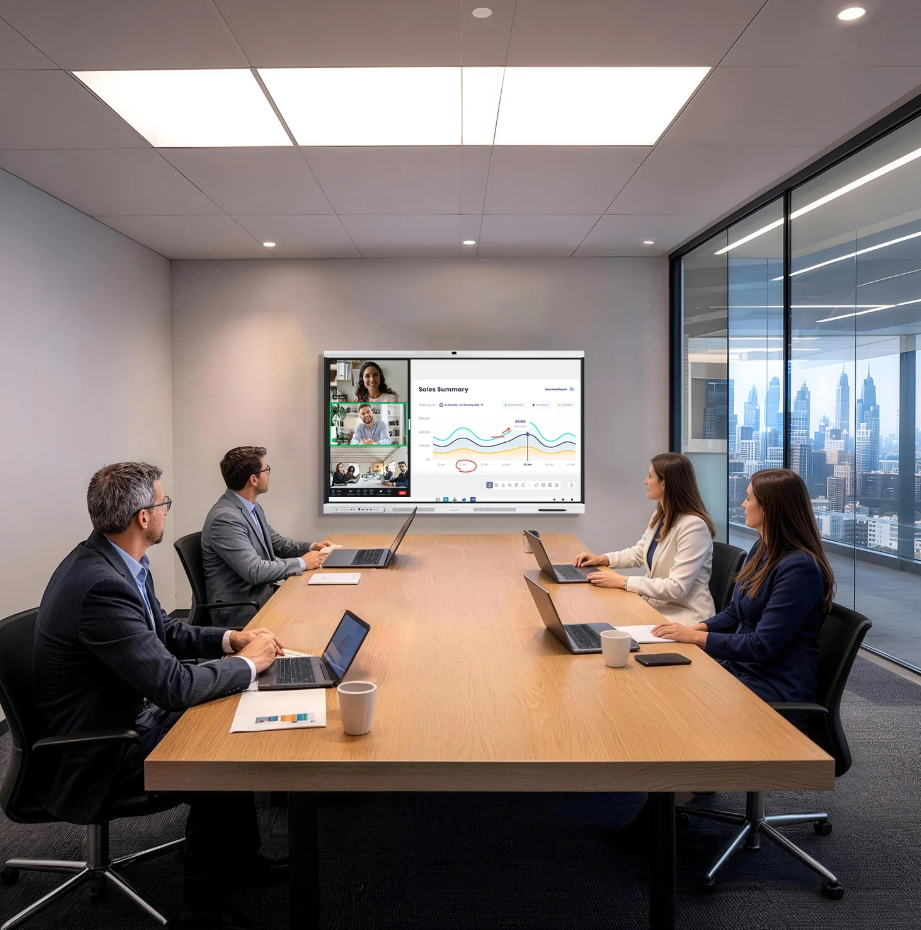
Meetings in small and medium-sized businesses often involve different devices, software platforms, and communication methods. When employees spend time connecting cables, adjusting settings, or solving audio issues, the meeting process becomes less efficient. A suitable smart board can simplify these steps by combining display, video conferencing, and collaboration functions into one device.
For businesses looking to improve meeting efficiency and reduce deployment challenges, Nework provides smart audiovisual and collaboration solutions designed for modern workplaces. With over 20 years of experience in the professional audiovisual industry, they develop interactive display products that support business communication and collaboration needs. Companies can contact their team to discuss suitable solutions based on meeting spaces, usage requirements, and maintenance expectations.
Reducing Setup Complexity with Integrated Meeting Solutions
Traditional meeting rooms may require separate displays, cameras, speakers, and connection devices. Each part needs to be installed and adjusted before a meeting starts. For small and medium-sized businesses, this can create additional management work and increase equipment maintenance requirements.
An integrated smart board combines multiple functions into one system. Employees can start meetings faster without preparing several independent devices. This approach helps businesses create a cleaner meeting environment while reducing the time spent on technical preparation.
When selecting a smart meeting solution, businesses should consider connection methods, software compatibility, and daily operation needs. A device that works with common meeting platforms can make it easier for different teams to join discussions.
The NewBoard P series for business is designed around professional meeting scenarios. It combines interactive display features with video conferencing functions, helping teams manage presentations, discussions, and remote communication through one device.
Making Remote Meetings More Natural and Clear
Remote meetings depend heavily on image quality and camera performance. Poor framing or unclear video can affect communication, especially when several people are sitting in the same room. A smart board with suitable camera technology can help remote participants follow conversations more easily.
A professional conferencing system should capture the entire meeting area while keeping participants visible. The built-in 48MP 4K conferencing camera uses intelligent 3A technology, including auto exposure, auto focus, and auto white balance. These functions help maintain clear images in different lighting conditions.
The 108° ultra-wide field of view allows the camera to cover a wider area with accurate colors and low distortion. This design is useful for small and medium-sized meeting rooms where participants need to be visible without changing positions frequently.
Clear visuals are only one part of effective online communication. Audio quality also affects how smoothly teams exchange ideas. Background noise, repeated questions, and unclear voices can slow down meetings and reduce participation.
Improving Audio Experience During Business Discussions
A meeting room needs more than a large screen. Voice pickup and sound processing are important factors when employees communicate with remote teams, customers, or partners.
Modern smart boards can use microphone arrays and audio algorithms to improve voice clarity. The 8-microphone array with AQUA DSP technology provides 12–16 m clear voice pickup across the room. This helps capture different speakers without requiring everyone to sit close to the device.
Noise reduction and echo control also influence the meeting experience. AI noise reduction can filter more than 300 types of noises, while echo cancellation helps maintain smoother conversations. Full-duplex double-talk allows participants to speak and listen naturally without frequent interruptions.
The system also includes dual 20W speakers to provide balanced sound during online meetings. For businesses that frequently communicate with remote employees or external teams, these features can reduce communication barriers.
Supporting Flexible Collaboration Across Different Platforms
Business teams often use different meeting applications depending on their workflow. A meeting device should provide flexibility instead of limiting users to one communication method.
A smart board with broad software compatibility allows employees to join meetings through familiar platforms. Google-certified EDLA provides access to Google Play, while supporting applications such as Teams, Zoom, and Google Meet. This helps companies continue using existing communication tools without changing their current processes.
Connection options also affect daily convenience. A single cable connection can reduce setup steps and make meeting rooms easier to manage. USB-C supports video, audio, data, and power transmission, while HDMI provides additional connection flexibility for different devices.
These functions are especially useful for small and medium-sized businesses that may not have dedicated IT teams managing meeting spaces. Simplified installation and operation can reduce the workload related to daily equipment use.
Choosing Smart Boards Based on Long-Term Business Needs
Purchasing a smart board is not only about screen size or appearance. Businesses should also review installation requirements, software support, maintenance needs, and future usage plans.
A suitable solution should match the meeting room environment and employee working habits. Companies with hybrid teams may need stronger video and audio functions, while businesses with frequent presentations may focus more on interactive features and easy content sharing.
The NewBoard P series for business offers an all-in-one smart meeting board for professional video conferencing, helping organizations combine display, communication, and collaboration functions in one workspace solution. Businesses can evaluate their meeting needs and choose configurations that fit their operation models.
With a focus on smart audiovisual technology, Nework supports organizations that need practical collaboration tools for education and business environments. Their solutions combine interactive display, video communication, and management features to help users simplify daily operations. Companies planning meeting room upgrades can explore suitable options according to their space, workflow, and service requirements.
A well-planned smart meeting setup can reduce unnecessary technical steps and create a smoother communication experience. For small and medium-sized businesses, choosing equipment that balances functionality, deployment, and maintenance can support more efficient meetings over time.
