Dead pixels can affect the image quality of LED displays used in retail stores, control rooms, broadcast studios, and live events. Even a small number of faulty pixels can distract viewers and reduce the professional appearance of a screen. Understanding the causes of pixel failure helps businesses identify problems, choose suitable repairs, and maintain display performance.
For companies investing in LED panels, effective troubleshooting and preventive maintenance are essential for minimizing downtime and extending equipment life.
What Causes Dead Pixels in LED Panels?
LED panels use thousands of light-emitting diodes controlled by electronic circuits. When an LED or its control components fail, pixels may appear black, remain illuminated, or display incorrect colors.
- Physical Damage
LED modules contain delicate components that can be damaged by pressure, impacts, or improper installation. Rental displays are especially vulnerable because they are frequently transported, assembled, and dismantled. Damaged LEDs, solder joints, or circuit boards can cause visible pixel defects.
- Electrical and Component Failures
Faulty driver ICs, loose connections, damaged cables, and unstable power delivery can interrupt normal pixel operation. A single faulty pixel may indicate a local component problem, while an entire row or section failing may suggest a driver circuit or signal connection issue.
- Heat and Moisture
Excessive heat can accelerate component deterioration, while moisture may cause corrosion or electrical shorts. Outdoor LED panels face additional environmental challenges, including humidity, rain, and temperature fluctuations. Proper ventilation and suitable environmental protection help reduce these risks.
How to Diagnose and Fix Dead Pixels
Before replacing components, technicians should determine whether the defect affects one pixel, several neighboring pixels, or an entire module. Correct diagnosis can prevent unnecessary replacement costs and help restore normal display operation more efficiently.
| Symptom | Possible Cause | Recommended Action |
| One black or discolored pixel | Failed LED or connection | Inspect the affected component |
| A row of dead pixels | Driver or circuit fault | Check module electronics |
| An entire module is dark | Power or data issue | Inspect connections |
| Defects after transportation | Physical damage | Examine the module and cabinet |
Step 1: Check Signals and Connections
Display solid red, green, blue, white, and black test images to identify the affected area. Check whether the problem persists across different content sources. If an entire section is affected, qualified technicians should inspect its power and data connections. This helps distinguish a signal problem from a physical LED failure.
Step 2: Repair or Replace Faulty Components
If an individual LED has failed, a trained technician may replace it when the module design permits. If the driver IC, circuit board, or multiple components are damaged, replacing the affected module may be more practical.
Always disconnect power before servicing and follow the manufacturer’s procedures. Component-level repairs require appropriate tools and technical expertise. Attempting repairs without proper training may cause additional damage.
Step 3: Test After Repair
Repeat the color tests and compare the repaired area with surrounding pixels. Check for differences in brightness and color. If the defect remains, investigate the signal path, driver circuitry, or replacement module before returning the display to service.
How to Prevent Dead Pixels in LED Panels
Preventive maintenance helps businesses reduce avoidable failures and maintain reliable display performance.
- Handle carefully: Use protective cases during transportation and avoid applying pressure to LED surfaces.
- Control operating conditions: Maintain adequate ventilation and follow recommended temperature and humidity limits.
- Inspect regularly: Check for abnormal pixels, loose connections, and physical damage.
- Use compatible components: Follow manufacturer-approved repair procedures and replacement specifications.
- Keep spare modules: Rental companies can reduce downtime by maintaining compatible replacement modules.
These practices are particularly useful for event production companies and businesses operating large LED walls. Establishing a regular inspection schedule also helps technicians identify developing problems before they affect important presentations or live events.
Choosing Reliable LED Panels for Long-Term Performance
When selecting LED panels, businesses should consider component quality, maintenance accessibility, environmental protection, and after-sales support alongside resolution and brightness.
Coblinks is a professional LED display manufacturer based in Shenzhen, China, with over 10 years of industry experience. Its product range includes indoor and outdoor rental displays, fine-pitch commercial screens, and specialized LED solutions for professional applications.
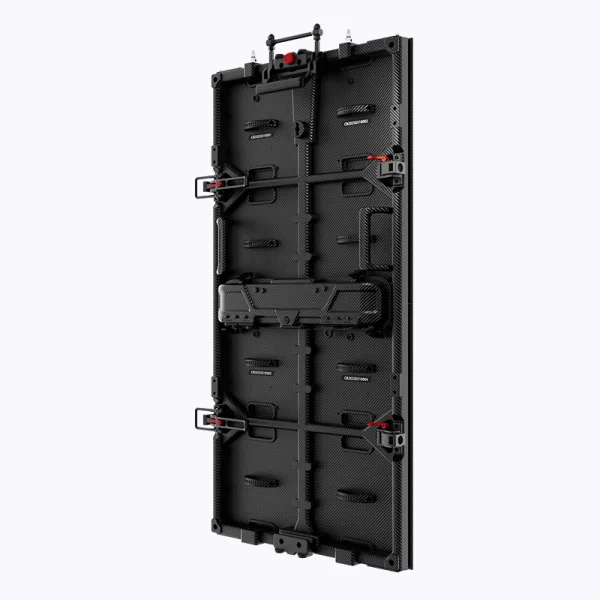
The Coblinks CL Series carbon-fiber rental display offers indoor pixel pitches of P1.9, P2.6, and P3.91, and outdoor options of P2.9, P3.91, and P4.81. Its cabinets measure 500 × 1,000 × 45 mm. Indoor cabinets weigh 8.5 kg, while outdoor cabinets weigh 9 kg. The series supports front and rear module maintenance, helping technicians access components during servicing.
For rental operators, this design can simplify repairs and help reduce service interruptions. Before purchasing an LED panel, the buyer should also confirm warranty coverage, replacement-module availability, and repair procedures with the supplier.
Conclusion
Dead pixels can result from physical damage, electrical faults, component failures, or environmental stress. Accurate diagnosis helps technicians determine whether a connection repair, component replacement, or module replacement is necessary. Regular inspections and careful handling can also reduce avoidable failures.
By prioritizing maintenance accessibility and reliable support, businesses can make better-informed display investments. Coblinks provides modular LED display solutions that offer practical maintenance flexibility for commercial and rental applications. Choosing suitable equipment and following consistent maintenance procedures can help businesses maintain dependable visual performance over time.
